


I hit publish on my first KDP title and felt like I’d gotten away with something.
The file uploaded clean. The cover cleared review. Forty-eight hours later the listing was live – price set, description filled in, categories chosen. Done. Easy. Almost suspiciously easy.
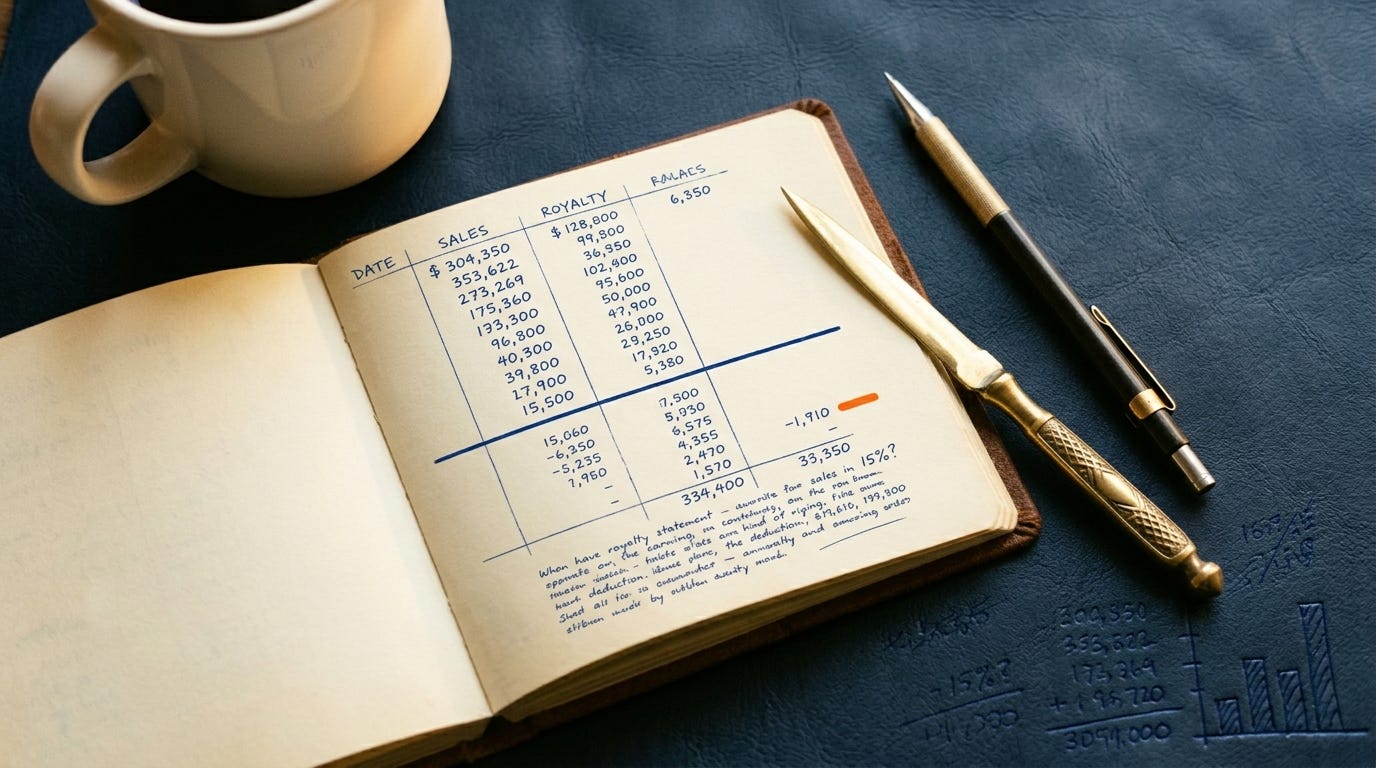
Then, two months in, I found out I’d been handing Amazon 30% of every US royalty because I’d guessed wrong on a tax form during account setup. The form was there. The wizard walked me through it. I just didn’t understand what it was asking, and the platform didn’t stop to explain. It defaulted.
That’s the KDP experience, compressed into one story. The interface is genuinely simple to navigate. The machine underneath it runs on defaults that punish the uninformed – quietly, without alerts, often for months before you notice.
What follows is the briefing you should have gotten before you uploaded anything.
The Tax Interview Is a Trap Door
Before you can publish a single title, KDP requires you to complete a tax questionnaire. It’s mandatory. Publish without it and Amazon holds your royalties until you fix it.
US authors enter their SSN or EIN. Thirty seconds. Done.
Non-US authors get a W-8BEN form – and this is where the platform’s default works directly against you. Without a valid foreign tax identification number entered correctly, Amazon withholds 30% of every royalty from US sales. Automatically. No notification. The money quietly disappears into the gap between your gross earnings and your actual deposit.
The fix is straightforward once you know it exists. Most countries have a tax treaty with the US that eliminates the withholding entirely. UK, Canada, Australia, Poland – the treaty rate is 0%. Enter your home country’s tax ID (Polish NIP, British UTR, Canadian SIN) and the system applies the treaty rate instead of the 30% default. No US accountant. No ITIN. Just the number you already have.
One timing edge case: newly issued foreign TINs can take up to 60 days to appear in the IRS database. If KDP flags a mismatch, you get 30 days to resolve it before publishing access is paused. Fixable. Just not something you want to discover on launch day.
For payment method, set up direct deposit immediately. No meaningful minimum threshold, money in your account within five business days. Checks exist as an option and are mostly useless – several European countries no longer receive them from KDP at all.
ISBN: Shorter Answer Than You Think
eBooks don’t need one. Amazon assigns an ASIN. This question is answered.
Paperbacks and hardcovers do. KDP provides one free – the imprint locks permanently as “Independently published” and the ISBN can’t be used outside Amazon’s ecosystem. Ever.
If you own your ISBN through Bowker ($125 for one, $295 for ten in the US; free from Library and Archives Canada if you’re Canadian; around £89 in the UK), you set the imprint name yourself and the number travels with you.
For a first book where Amazon is the only channel, the free ISBN is the right call. For a third or fourth book where the imprint name starts to matter – or where you’re thinking about bookstore distribution – buy your own.
The thing a lot of new authors miss: each format requires a separate ISBN. Paperback and hardcover are distinct editions. The same number can’t be applied to both. Reusing one creates listing errors that require support tickets to untangle, and KDP support is not fast.
What KDP Accepts Now (The Format That Died in 2025)
MOBI is gone. As of March 18, 2025, KDP stopped accepting MOBI uploads for eBook titles – not deprecated, not discouraged. Removed.
If you’re working from a guide that tells you to convert your manuscript to MOBI, that guide is outdated. The accepted formats now are EPUB (the right choice for almost everyone), DOCX, KPF, HTML, and RTF.
The practical workflow: write in Word or Scrivener, run the file through a formatting tool, export EPUB, upload.
On formatting tools – two paths.
The free path: Kindle Create (Amazon’s own tool, KPF output, competent for plain text, breaks down with tables or images) or Reedsy Studio (browser-based, EPUB output, no installation). Both work. Neither will produce typographically impressive output at the interior level.
The paid path worth considering: Vellum ($199–$249, Mac only) or Atticus ($147, cross-platform). Vellum has cleaner print typography and a faster workflow for series authors. Atticus has a built-in writing environment and runs on Windows – which Vellum doesn’t. Either investment makes sense from book two onward. For a single title, Reedsy Studio is sufficient.
For print: you’ll submit two PDFs – the interior and a full wraparound cover. Use KDP’s Cover Calculator before designing anything. It calculates exact spine width from page count and paper type, and that number changes every time you add or cut pages. A spine that’s 0.1” off means a rejected cover file and another 24–72 hours waiting in review.
The Royalty Math, Including the Cut Nobody Announced
eBook royalties are the simpler half. Price between $2.99 and $9.99 and earn 70%, minus a delivery fee – typically $0.06 to $0.15 for a standard novel-length file. Outside that band, the rate drops to 35%.
Most first novels should price at $2.99 to $4.99. At $0.99, you’re earning $0.35 per sale. That’s a promotion price, not a publishing strategy.
Print is where things changed. On June 10, 2025, KDP cut paperback royalties for titles priced below $9.99 – from 60% down to 50%. The threshold is $9.99 in the US, £9.99 in the UK, with local equivalents in other marketplaces. Amazon announced this the way they announce most rule changes: by editing a help page.
The math on a 300-page paperback: printing runs roughly $4.45. At 50% on an $8.99 list price, the royalty is $4.50 – minus printing, minus any promotional discount Amazon applies on its own. You’re working near zero before the sale is complete.
Price that book at $12.99 instead. You’re in the 60% tier, earning around $7.79 after print costs. That’s the number that makes print a supplementary income stream instead of a liability. Fiction trade paperbacks should realistically be priced $12.99 to $16.99. There’s no conversion advantage to being cheaper than your category.
3 Categories. 7 Keywords. No Workarounds Left.
You get three category slots. That’s the full inventory.
Until May 2023, authors emailed KDP support and requested placement in up to ten browse categories. Support honored those requests. That practice ended and support now declines the request outright. Any guide still describing this as a viable tactic is describing a platform that no longer exists.
With three slots, the allocation logic is: one niche category where you can hit the top 20 and earn a bestseller badge (these appear on your product page and they visibly convert browsers into buyers), one broader category for algorithmic reach, and one that matches the specific reader intent driving your genre.
Two traps embedded in the category system. Ghost categories – they exist in the dropdown, authors get placed there, but no live bestseller list is attached. No badge is ever possible, regardless of rank. Duplicate paths – KDP’s dropdown has multiple routes leading to the same underlying category page. Selecting two of them wastes a slot and gives you no additional placement. Both are invisible unless you know to look.
For keywords: seven slots, up to 50 characters each, used as complete phrases rather than individual words. Amazon already indexes your title, subtitle, and series name – repeating those terms burns a slot for no gain. The seven should contain phrases your actual readers type. The free research method: open Amazon’s search bar, type a partial phrase, and read the autocomplete. Those suggestions are drawn from real search behavior. If a phrase surfaces there, readers are using it.
KDP Select Is a 90-Day Bet. Here’s What You’re Actually Betting.
Enroll in KDP Select and your eBook is exclusive to Amazon digitally for 90 days. Print and audio are unaffected. You can opt out at any point, but the exclusivity runs until the current term ends.
What the enrollment buys: your book enters Kindle Unlimited, Amazon’s subscription library where readers pay a flat monthly fee and borrow freely. You earn per page read, from a shared global fund. In 2025, that per-page rate averaged $0.00445, with October hitting $0.005007 – a rate not seen in years. A 300-page book, fully read, generates roughly $1.33 from a KU borrow.
The number sounds thin. The logic is volume. KU readers borrow constantly because they’ve already paid. For series fiction, a reader who borrows book one and finishes it will borrow book two the same day.
You also get one promotional tool per 90-day term: either five days of free giveaway or a Kindle Countdown Deal (up to seven days, discounted price, 70% royalty preserved throughout). One or the other – the terms don’t allow both in the same enrollment period.
One development from September 2025 that most authors missed: Amazon now permits public library distribution alongside KDP Select exclusivity. OverDrive, Hoopla, cloudLibrary, BorrowBox – your book can appear in these systems without breaking the exclusivity clause. Previously, Select meant Amazon-only without exception. That’s changed.
For first-time genre fiction authors, enroll for one cycle and watch what happens. The data from 90 days is worth more than any theoretical argument about wide distribution. For non-fiction authors, or anyone with an established readership on other platforms, evaluate carefully – the exclusivity clause has a real cost when you have somewhere else to actually sell.
Your Description Is a Sales Page with a 4,000-Character Budget
KDP accepts basic HTML in the description field. Use it. Unformatted text walls perform measurably worse than the same words broken into short paragraphs with a bolded opening line. The supported tags: <b>, <i>, <br>, <p>, <h4> through <h6>, and basic list markup. The character limit is 4,000, tags included.
On mobile – where most browsing happens – readers see roughly 200 characters before the “Read more” cutoff. Those 200 characters carry the entire first impression. Don’t open with the series name or a tagline about the author. Get to the hook. The title is already visible on the page.
One technical trap that generates a baffling error message: pasting text from Word. Word embeds invisible formatting characters. KDP’s system flags them without clearly explaining why. Paste as plain text first, then add HTML tags manually. Thirty seconds of extra work, zero cryptic error messages.
Suspensions Are Automated. They Don’t Negotiate.
Amazon’s account risk system runs continuously in the background, scoring accounts against signals you can’t see or audit. Enforcement in 2025 and 2026 has become faster and less forgiving.
The patterns most likely to trigger a flag for new authors: metadata mismatches between what’s on the cover and what’s in the system fields, publishing velocity that looks like a spam operation, and anything the algorithm interprets as coordinated review behavior.
On AI content: the disclosure requirement is a binary. Did an AI generate the content – text, images, translation? Disclose it during upload. Did AI assist – brainstorming, grammar checking, developmental feedback? No disclosure required. The checkbox appears in the upload flow during title setup.
Two things worth knowing that most guides get wrong. First, the disclosure is invisible to buyers – it goes into Amazon’s internal records, not your product page. No badge, no label, no reader-facing signal of any kind. Second, the documented enforcement risk from non-disclosure is a closer review and a potential flag, not an automatic takedown. The suspensions you read about in Facebook groups are almost always tied to spam volume – publishing dozens of low-quality titles fast – not to a single honest book with a missing checkbox. Check the accurate box anyway. It costs nothing and the policy will only get stricter.
The 60-Day Gap Between a Sale and Your Bank Account
Royalties pay monthly, 60 days after the end of the month they were earned. January sales arrive in late March. February sales arrive in late April. This isn’t a bug – Amazon builds in the window to process returns and reconcile KU page reads against the global fund.
KU page-read royalties follow the same schedule, with the per-page rate announced around the 15th of the following month once Amazon finalizes how the fund divides across total pages read that month.
Direct deposit has no meaningful minimum threshold. Set it up once, forget it exists.
For authors earning across multiple marketplaces: US, UK, EU, Canada, and Japan each carry separate earnings balances and separate minimums. Small markets can sit in “earned but not yet paid” for months – not lost, just waiting to clear the local threshold. Worth knowing before you start troubleshooting a missing deposit.
The First 30 Days and the One Thing That Changes Everything
Amazon’s algorithm, as it operates in 2026, rewards sustained sales velocity across three to four weeks over a spike-and-drop pattern. The old launch-day burst playbook has lost most of its leverage.
What the data still supports cleanly: reviews are the unlock condition for every other tactic. A discounted book with no reviews converts poorly. Ads running against a zero-review listing mostly generate impressions, not sales.
For a first book, the goal isn’t twenty reviews. Five honest reviews from people who actually read it will do more than zero reviews from a perfectly executed launch strategy. Ask the people who already read your manuscript – beta readers, critique partners, anyone who gave you feedback. Ask friends who genuinely read in your genre. Amazon’s terms prohibit immediate family members from reviewing, but a colleague who read it and liked it is fair game.
If you want to go wider: send ARC copies four to six weeks before launch to readers in genre Facebook groups or via BookSirens or StoryOrigin. Expect 20 to 30% of them to actually post. Email once before the listing goes live, once after. Stop there.
Five reviews gets you past the psychological wall most browsers hit when they see none. Ten is where paid promotions start converting reliably. Twenty is where Amazon’s algorithm begins treating you as a real product. You don’t need to be at twenty on launch day – you need a plan to get there over the first month.
After reviews exist: run a short Countdown Deal in week two or week three, stacked with a promo newsletter placement – Freebooksy, BargainBooksy, or a BookBub Featured Deal if you can secure one. Then stop touching it. Organic rank movement takes two weeks to stabilize after a promotion. Running ads before you have ten reviews mostly funds the experiment, not the book.
The first 30 days are important. They’re not the whole game. A book with a solid cover, a real description, and the right categories will keep selling after the launch window closes – which is the actual goal.
Where can I redeem my college course credits for that amazing class? I read it twice. Absorbed about 75% so I saved it to study. Thank you so much for the valuable information. I am at that stage of publishing where it will become vital to know these things.
Why didnt i find this a couple of weeks ago?
I finally got my first-ever book live on KDP on Friday, Stop Chatting, Start Architecting, a layman's guide to AI and it took blooming ages to figure it all out and was quite frustrating.
Between wrestling with formatting tables and images, sorting the W-8BEN tax form, and making sure the metadata matched up, it's a proper minefield. The kdp tooling kept crasing too.
Am gonna go back into kdp this week and tweak the keyword phrases and description.
Cracking post.
Cheers
M.👽.G